NB: In order to perform this step you need to have received an invite via email

Open the email received and:
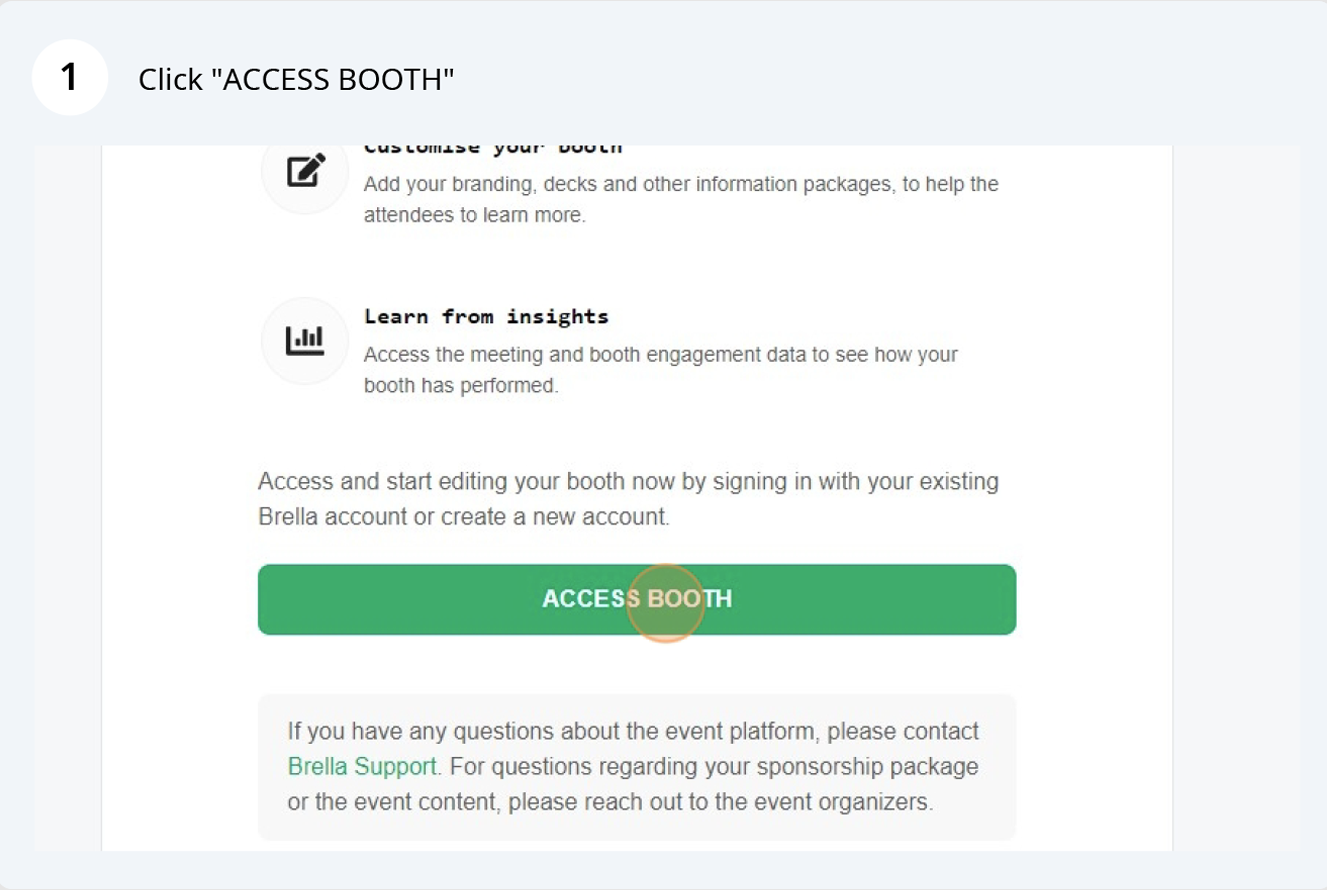
Green button labeled 'ACCESS BOOTH' with white text, where the 'S' is faded, on a webpage with instructions on accessing and editing a booth. There are icons and text explaining how to customize and learn from insights, and contact information for support.
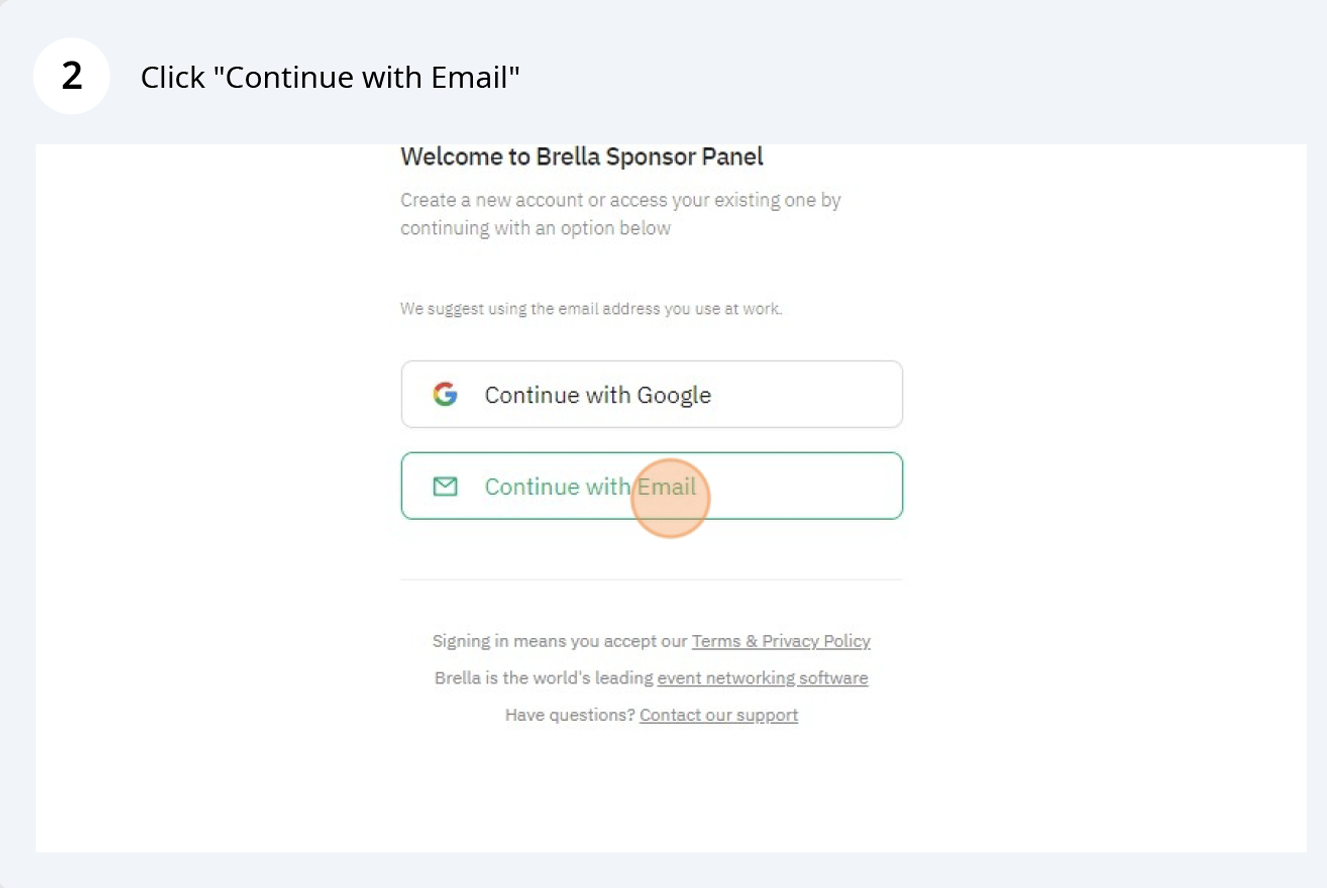
Screenshot of a webpage titled 'Welcome to Brella Sponsor Panel' displaying options to log in with Google or email, with 'Continue with Email' button highlighted and a footer with links to terms, privacy policy, event networking software, and support
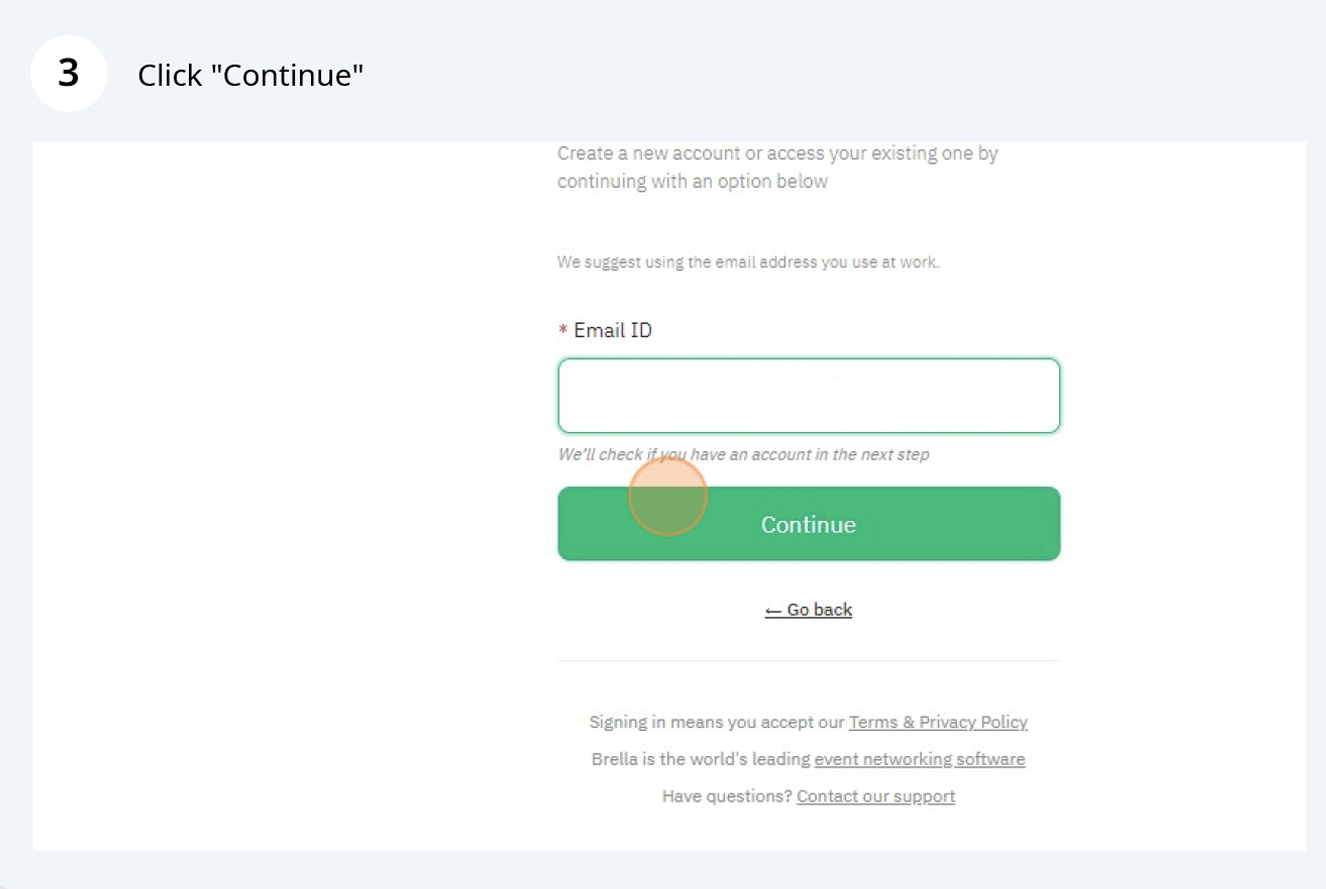
Online sign-in page requiring user to enter email address with a green continue button and links to go back, terms and privacy policy, event networking software, and support.
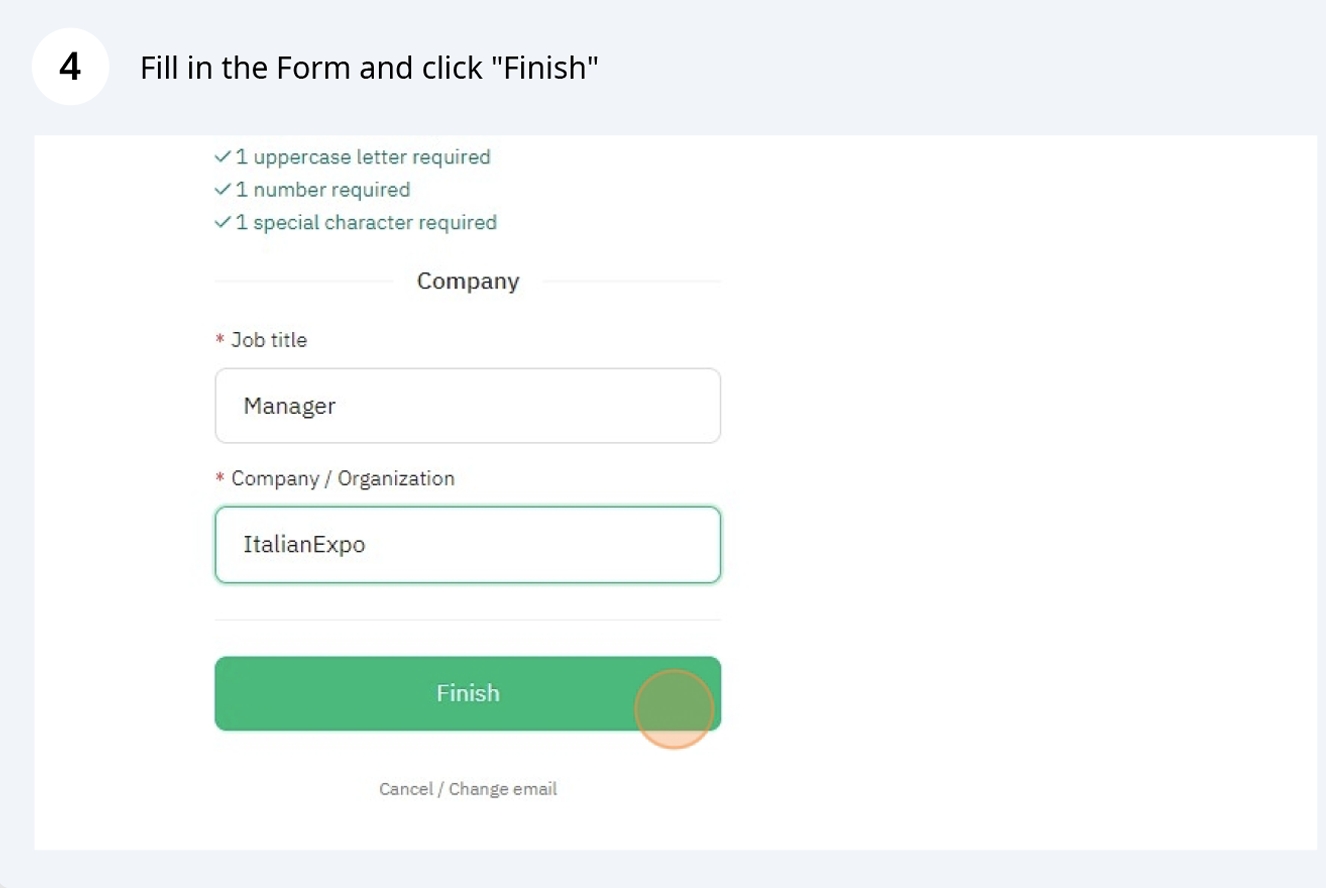
Screenshot of an online form indicating required fields for job application, including company name 'ItalianExpo' and job title 'Manager', with a green 'Finish' button to submit the form.
A computer screen displaying a form titled 'Fill in the Form and click 'Finish''. The form contains fields for job title and company/organization, with the company filled as 'ItalianExpo'. There is a large green 'Finish' button at the bottom of the form.
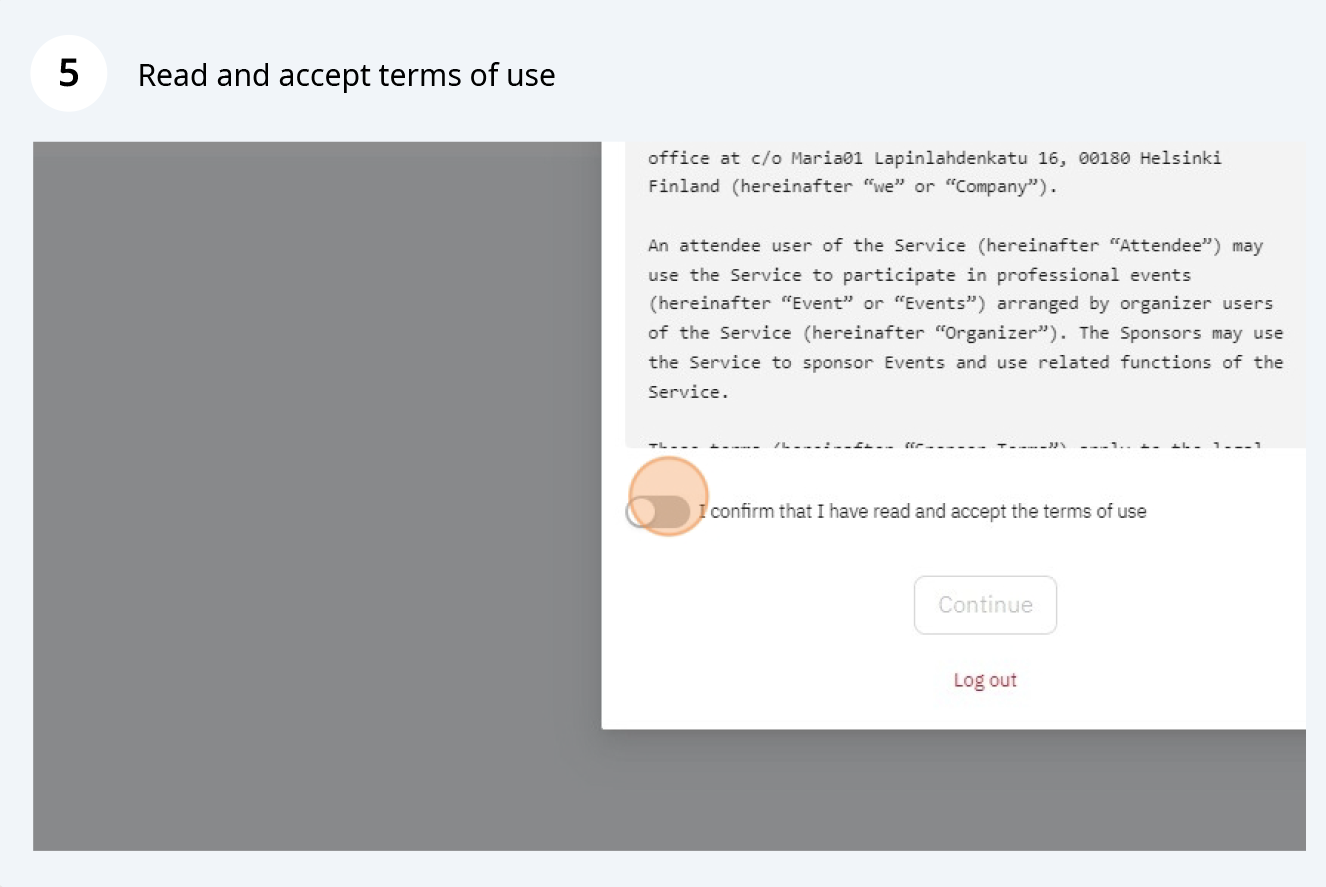
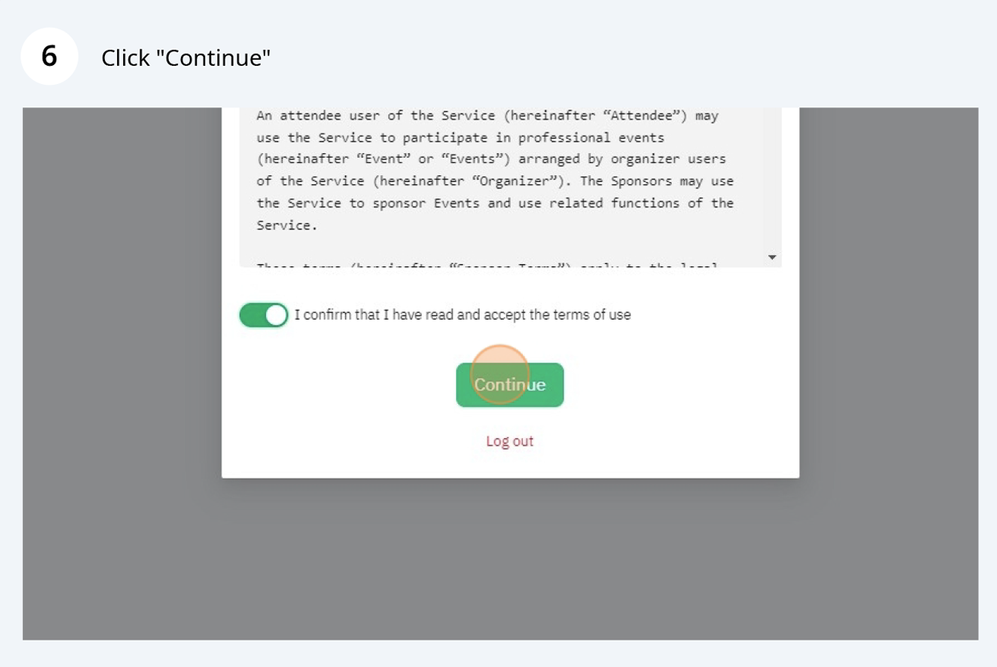
A computer screen showing a terms of use agreement webpage with a toggle switch and a continue button.
Screenshot of a web page showing a confirmation checkbox, a green 'Continue' button, and a red 'Log out' link. The confirmation checkbox is checked, and the cursor hovers over the 'Continue' button.