Instrucciones de registro para la app y el matchmaking

Regístrate en el evento a través de la app o del sitio web para comenzar a programar reuniones durante la feria utilizando esta guía.

Descarga nuestra app oficial
Registro en la app


1 . Descarga
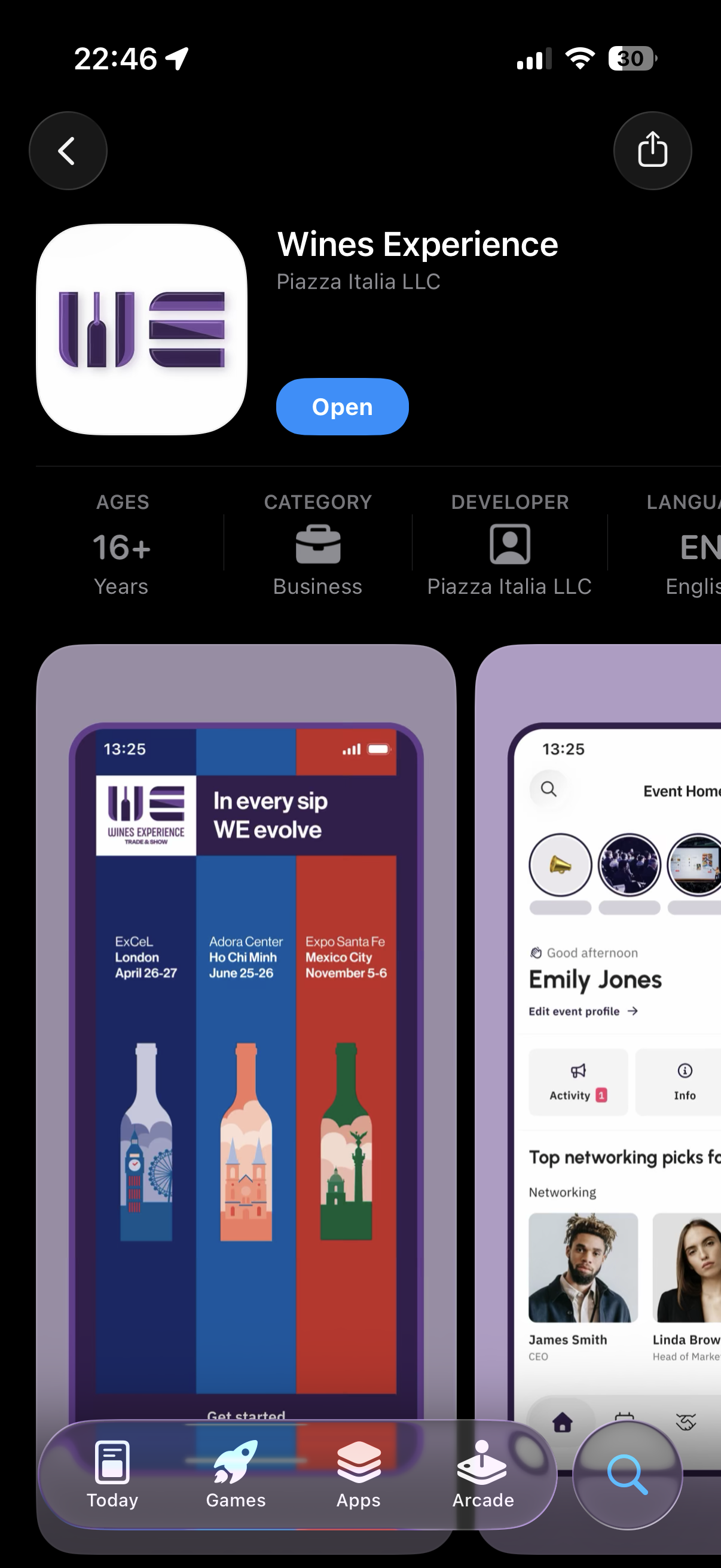
Screenshot of a smartphone app for Wines Experience, showing event information, user profile, and navigation buttons at the bottom.

Descarga e instala la app “Wines Experience” desde Apple Store o Google Play Store.


2 . Registro
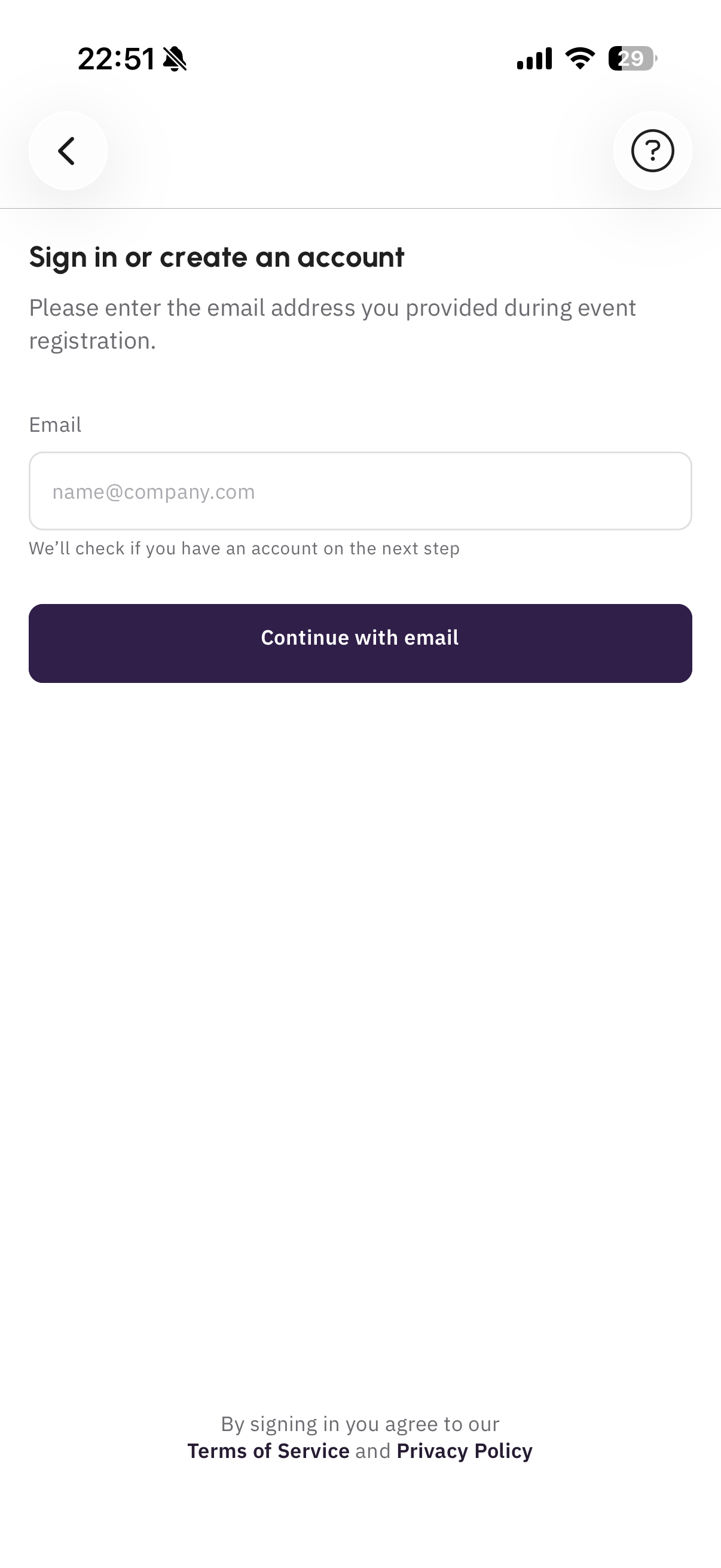
Mobile phone screen showing a sign-in or account creation page with a form for email address and a 'Continue with email' button, with terms of service and privacy policy links at the bottom.

Inicia el proceso de registro utilizando tu correo electrónico profesional.
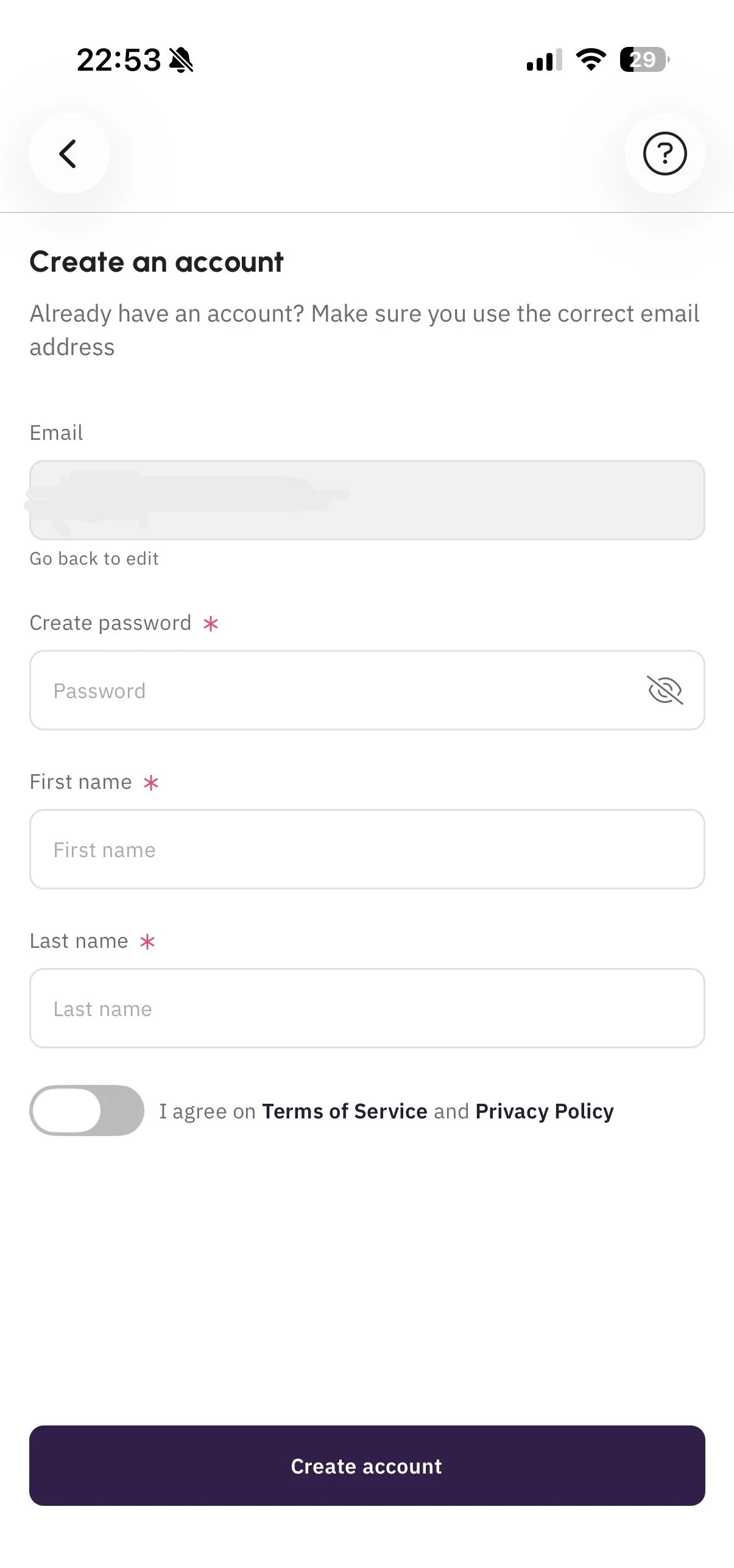

Mobile app screen for creating an account with fields for email, password, first name, and last name, and a toggle switch for agreeing to terms of service and privacy policy.

Completa tu perfil de la forma más detallada posible antes de continuar. Esta información será visible para otros usuarios.


3 . Únete al evento

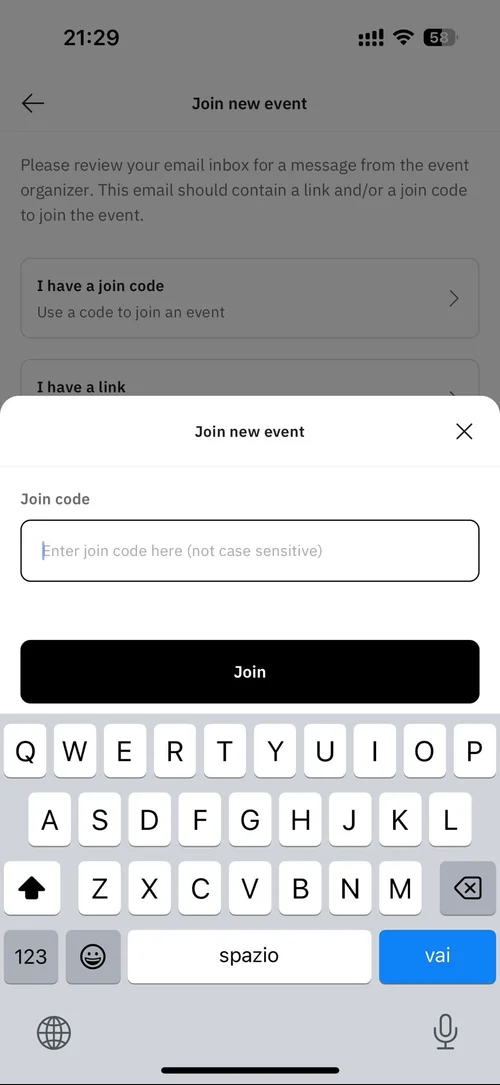
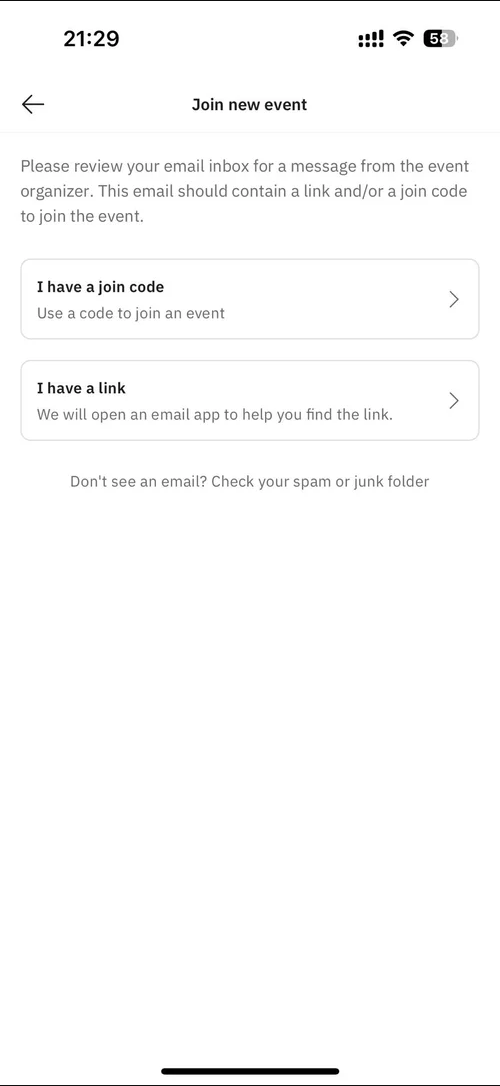
Sigue los pasos que se muestran en las imágenes e introduce el código recibido por correo electrónico para unirte al evento.
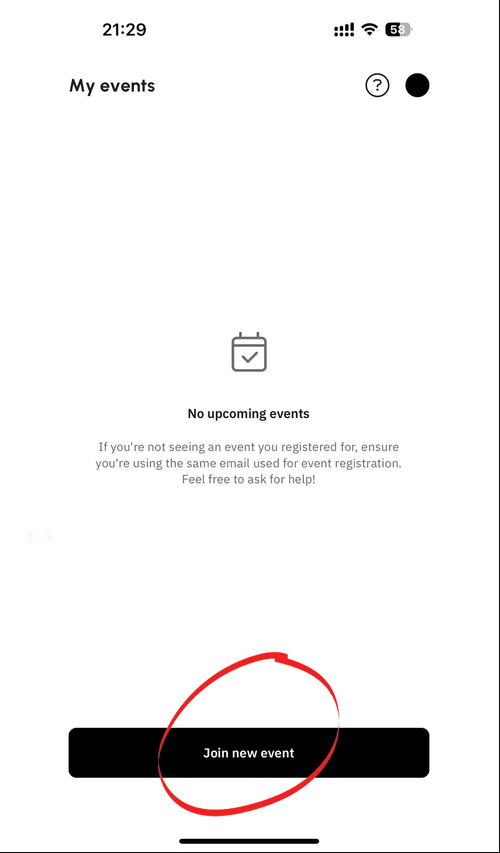
Mobile app screen showing 'My events' with no upcoming events and a black button labeled 'Join new event'.
Screen showing options to join a new event via a join code or link, with instructions to check spam folder if email not received.
Mobile phone screen showing a 'Join new event' prompt with input field for a join code and a 'Join' button, part of an app interface for joining virtual events.

Configura tu perfil

1 . Información del perfil
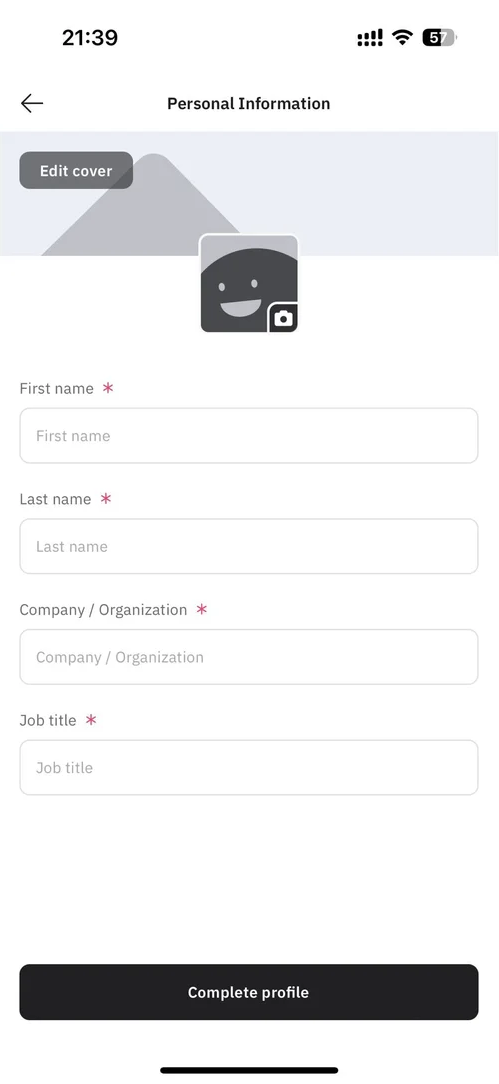
Screenshot of a mobile app form titled 'Personal Information', with fields for first name, last name, company/organization, and job title, and an option to edit cover photo featuring a gray mountain and a smiling, waving square icon with a camera symbol.

Introduce tu información en esta sección.


2. Selecciona tus intereses
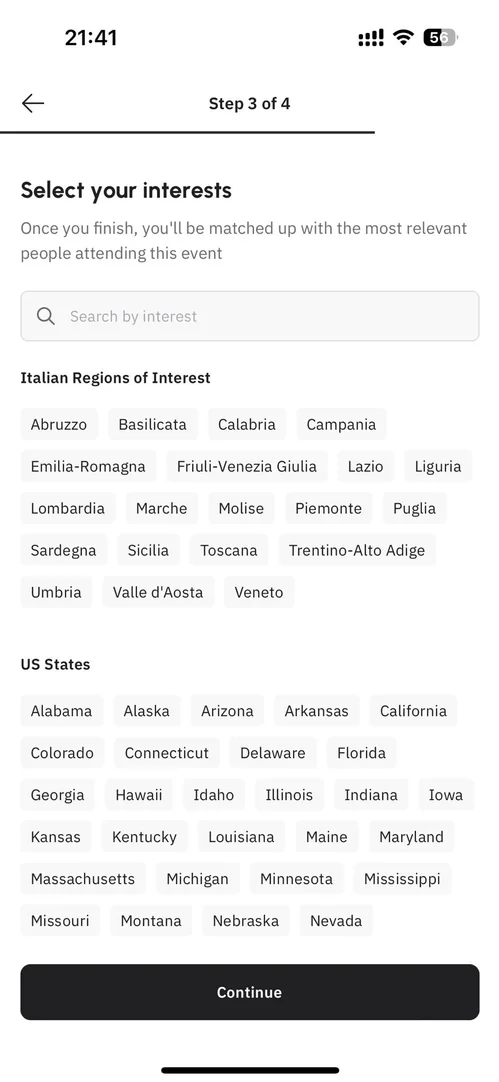
A mobile phone screen displaying a step in an event registration process where users select their interests, including Italian regions like Abruzzo and Lazio, and U.S. states such as California and Texas, with a 'Continue' button at the bottom.

Selecciona las regiones y variedades de vino que exhibirás en la Expo o que te interesa descubrir.
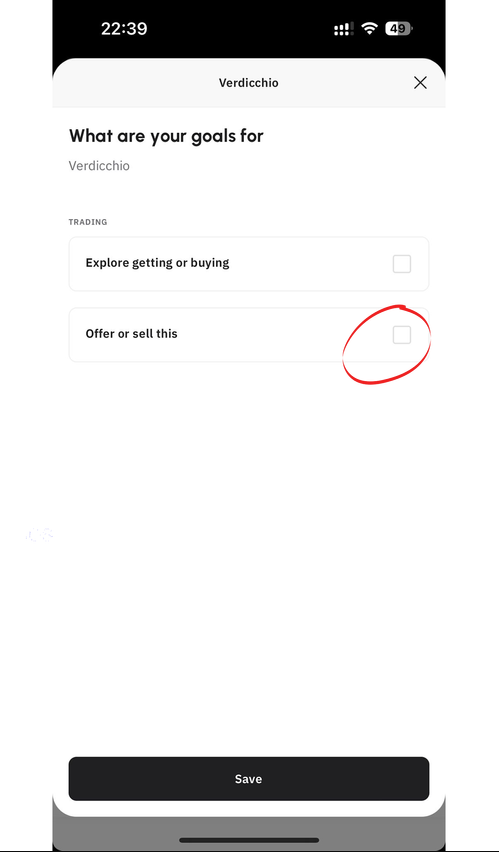

Mobile app screen showing user's goals for Verdicchio water with options to select 'Explore getting or buying' or 'Offer or sell this' and a save button at the bottom.

Especifica si estás buscando vender productos o explorarlos/comprarlos en las categorías seleccionadas haciendo clic en “ofrecer o vender esto”. Este paso es esencial para lograr un buen matchmaking con los compradores.