Hướng dẫn đăng ký ứng dụng và kết nối giao thương

Đăng ký tham gia sự kiện thông qua ứng dụng hoặc website để bắt đầu lên lịch các cuộc gặp gỡ trong thời gian diễn ra hội chợ theo hướng dẫn này.

Tải ứng dụng chính thức của chúng tôi
Đăng ký ứng dụng


1. Tải xuống
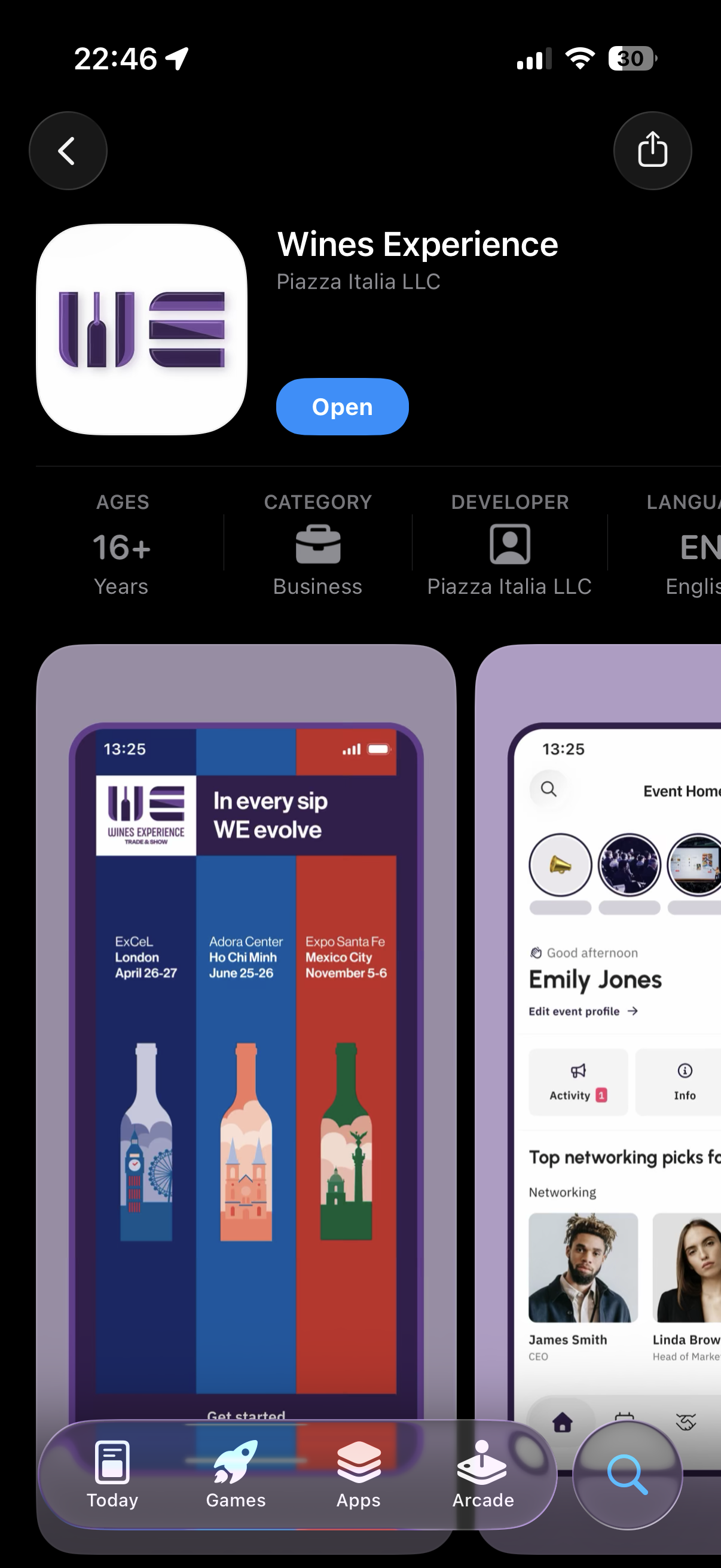
Screenshot of a smartphone app for Wines Experience, showing event information, user profile, and navigation buttons at the bottom.

Tải xuống và cài đặt ứng dụng “Wines Experience” từ Apple Store hoặc Google Play Store.


2. Đăng ký
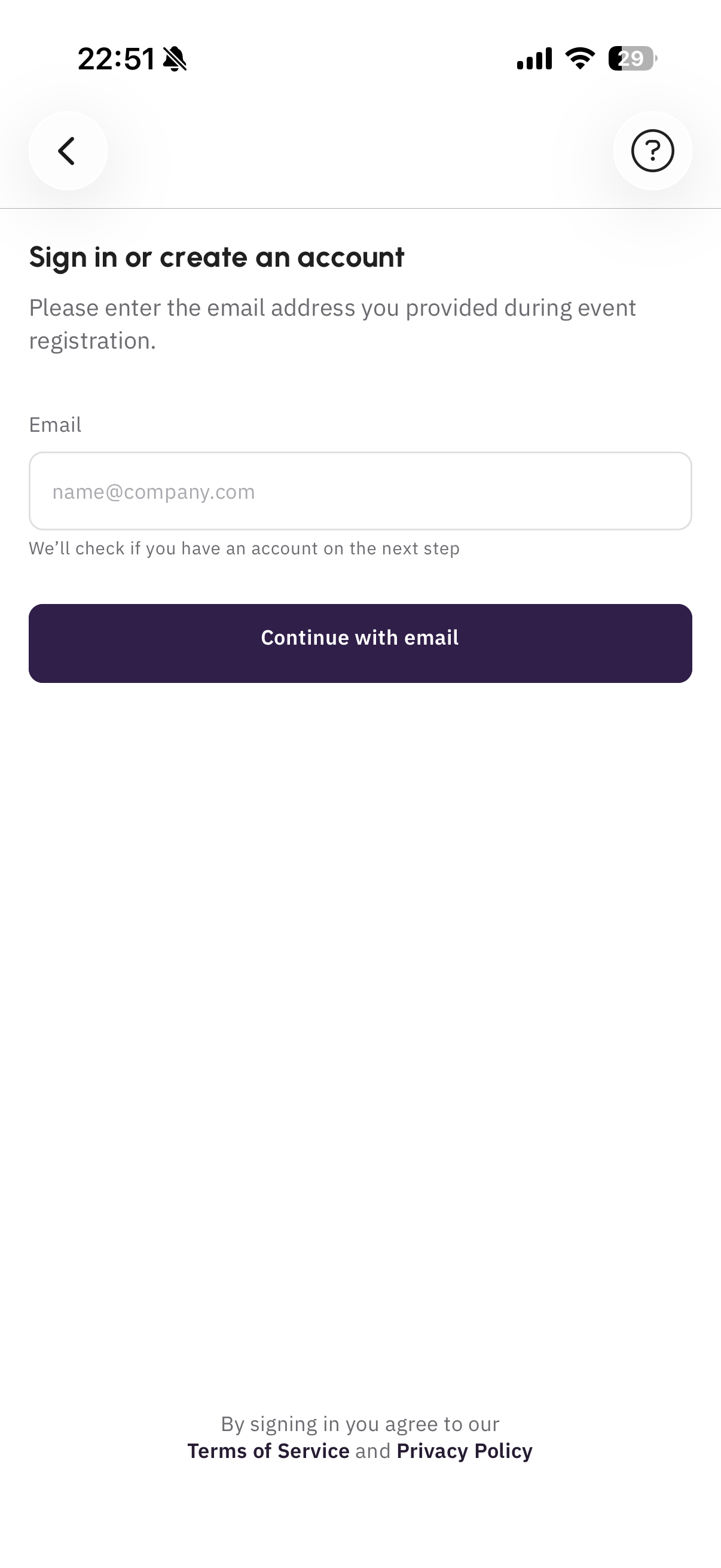
Mobile phone screen showing a sign-in or account creation page with a form for email address and a 'Continue with email' button, with terms of service and privacy policy links at the bottom.

Bắt đầu quá trình đăng ký bằng địa chỉ email công việc của bạn.
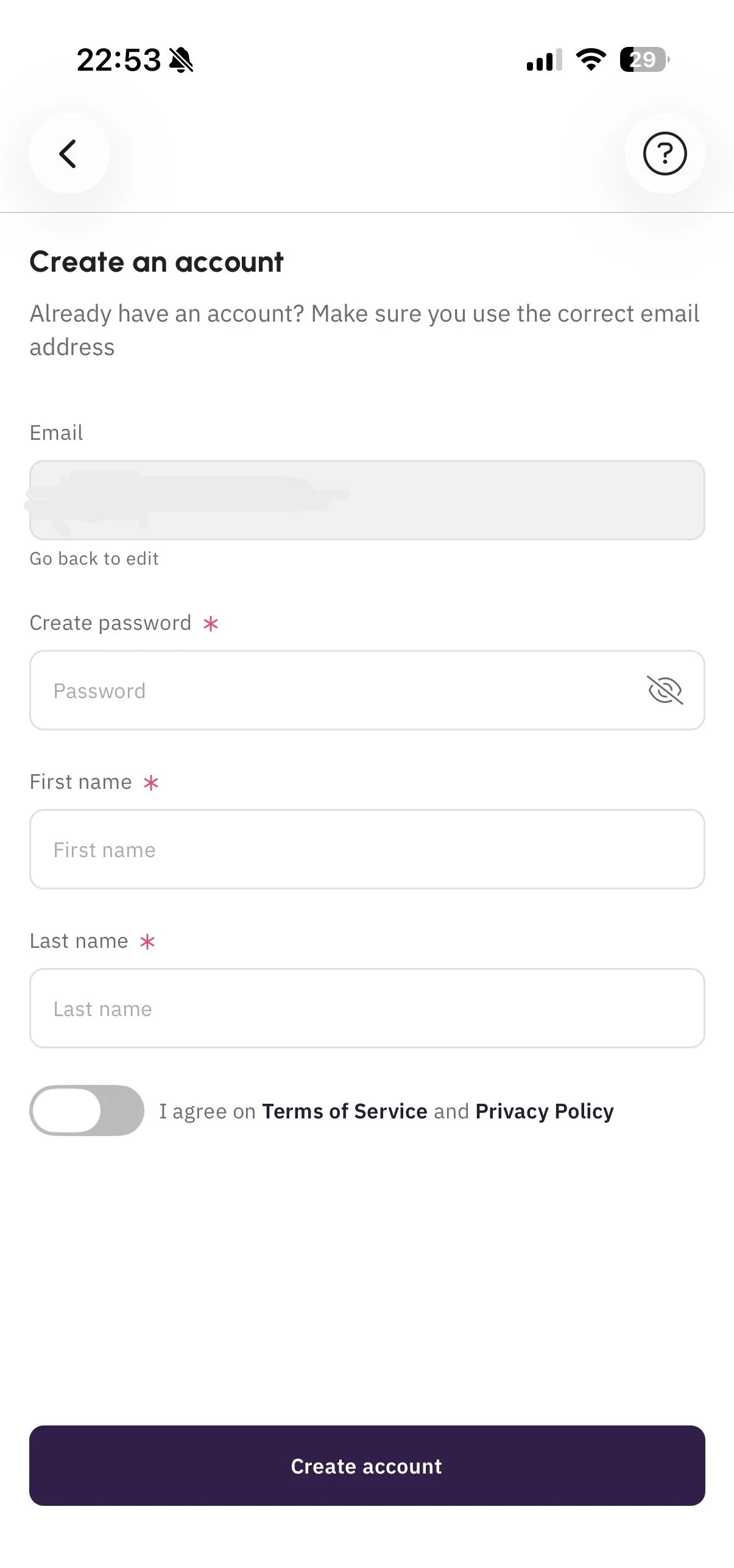

Mobile app screen for creating an account with fields for email, password, first name, and last name, and a toggle switch for agreeing to terms of service and privacy policy.

Hoàn thiện hồ sơ của bạn đầy đủ nhất có thể trước khi tiếp tục. Thông tin này sẽ hiển thị với những người dùng khác.


3. Tham gia sự kiện

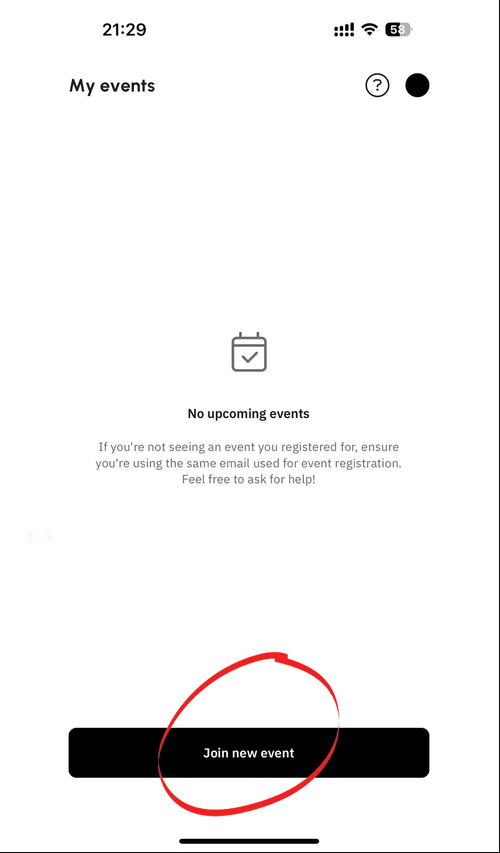
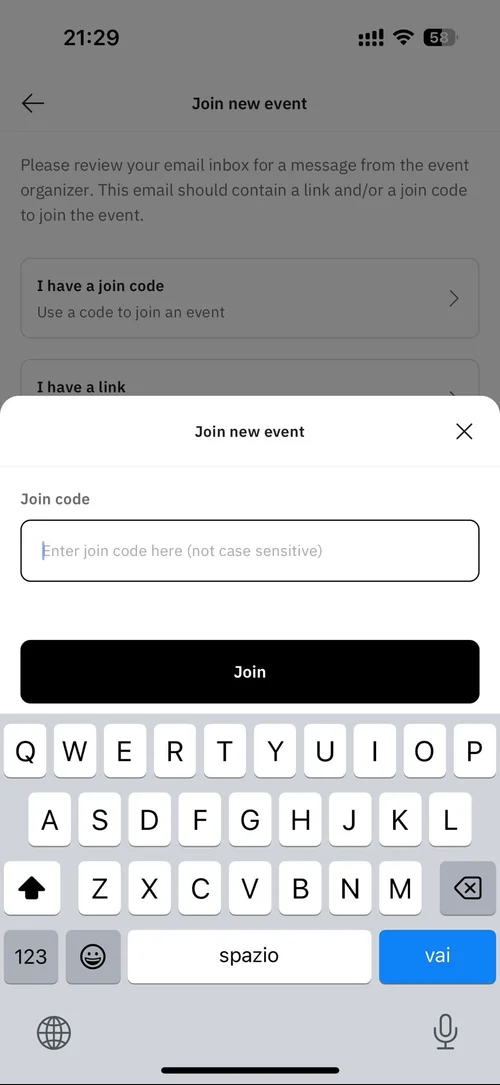
Làm theo các bước trong hình ảnh và nhập mã nhận được qua email để tham gia sự kiện.
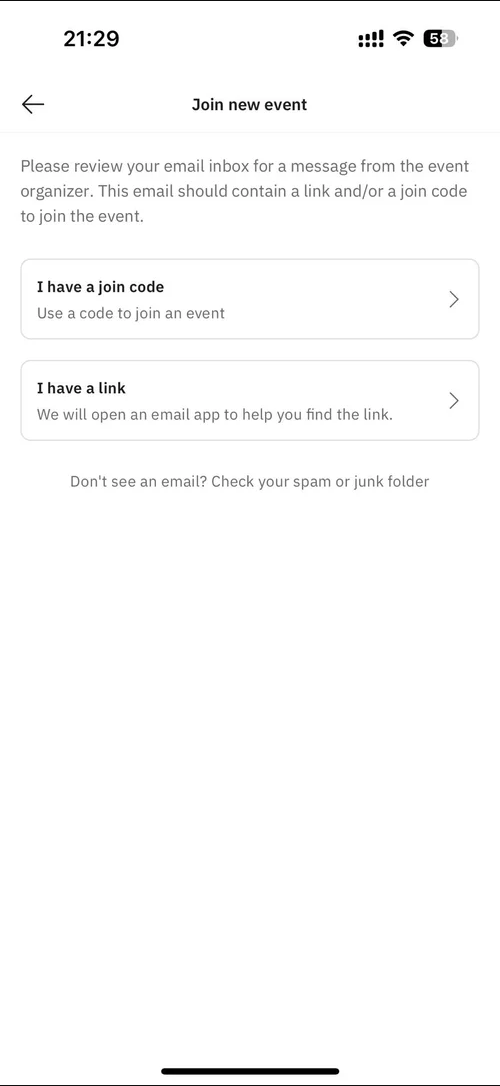
Screen showing options to join a new event via a join code or link, with instructions to check spam folder if email not received.
Mobile app screen showing 'My events' with no upcoming events and a black button labeled 'Join new event'.
Mobile phone screen showing a 'Join new event' prompt with input field for a join code and a 'Join' button, part of an app interface for joining virtual events.

Thiết lập hồ sơ của bạn

1. Thông tin hồ sơ
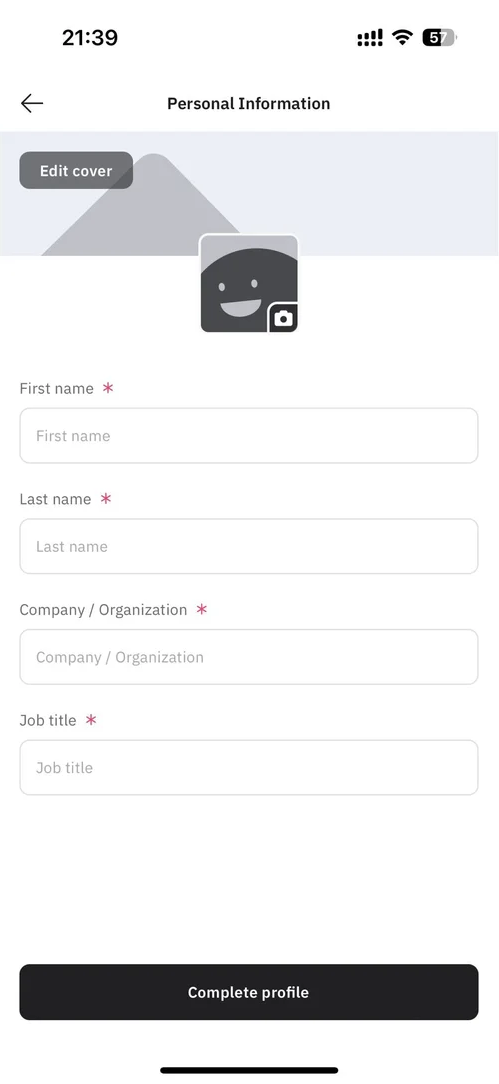
Screenshot of a mobile app form titled 'Personal Information', with fields for first name, last name, company/organization, and job title, and an option to edit cover photo featuring a gray mountain and a smiling, waving square icon with a camera symbol.

Nhập thông tin của bạn vào phần này.


2. Chọn lĩnh vực quan tâm của bạn
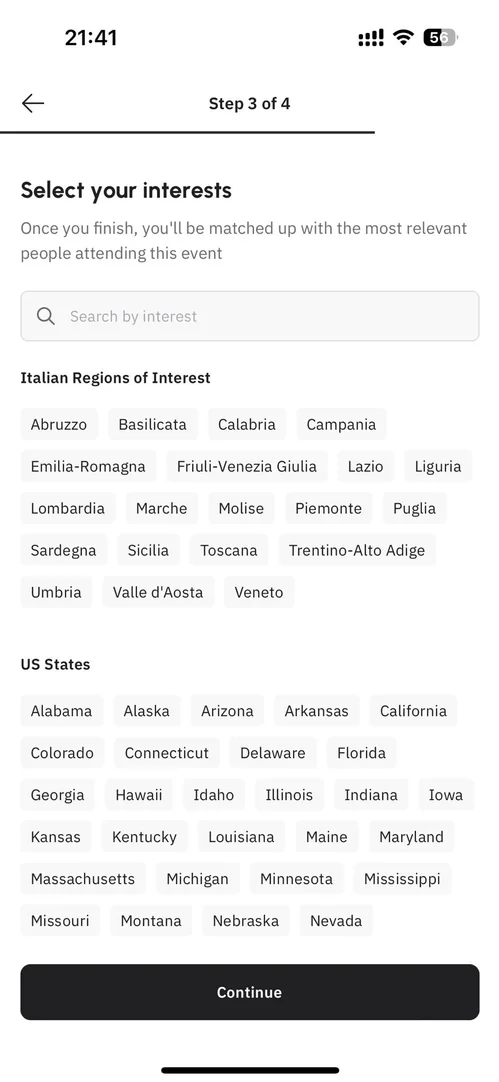
A mobile phone screen displaying a step in an event registration process where users select their interests, including Italian regions like Abruzzo and Lazio, and U.S. states such as California and Texas, with a 'Continue' button at the bottom.

Chọn các khu vực và giống rượu vang mà bạn sẽ trưng bày tại Expo hoặc muốn khám phá.
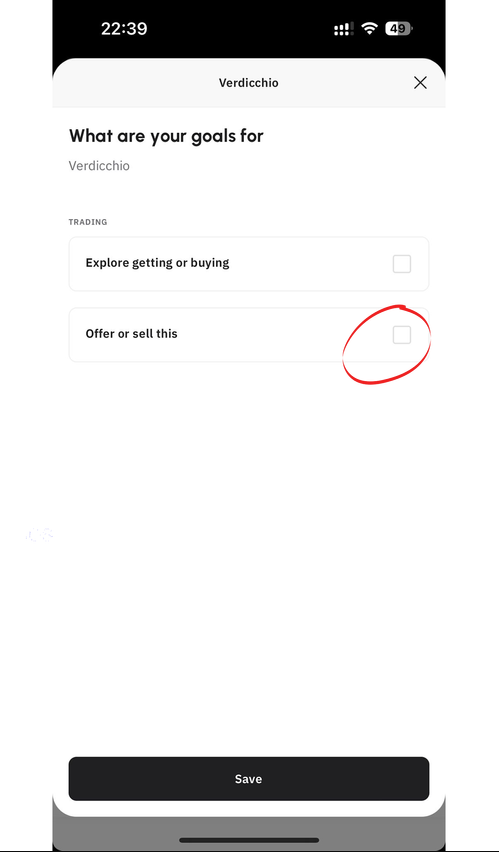

Mobile app screen showing user's goals for Verdicchio water with options to select 'Explore getting or buying' or 'Offer or sell this' and a save button at the bottom.

Cho biết bạn đang muốn bán sản phẩm hay tìm hiểu/mua sản phẩm trong các danh mục đã chọn bằng cách nhấp vào “offer or sell this”. Bước này rất quan trọng để kết nối hiệu quả với người mua.